
BizflowPrivacy PolicyDelete accountFAQDownloads
Call: 0707067474 · 0785017308
Email: info@bizflow.ke
© 2026 Bizflow. All rights reserved.
IZFLOW
Solutions
RestaurantsTables, orders, kitchen docketsBarsShifts, waiter clearances, M-PESACafésFast counter service & receiptsWines & SpiritsStock tracking, who-sold-whatHotelsMulti-department, floor managementLaundry shopsBookings, tags, invoicing & M-PESA
Offline POSPricing
Downloads
Printer BridgeSet up and manage outlet printers from one place.Windows downloadGet the main Bizflow POS download page.Printer driversOpen the printer bridge page for Xprinter drivers.
WhatsAppStart free trial
Solutions
RestaurantsBarsCafésWines & SpiritsHotelsLaundry shopsOffline POS
Company
Pricing
Downloads
Printer BridgeDownloads pagePrinter drivers
Talk to experts on WhatsAppStart free trial
Home/Download
Free download · Windows

Download Bizflow POS
for Windows.

Get the full offline-first POS on your computer in minutes. Run your restaurant, bar, café or shop with no internet, no subscription and no expiry — completely free.

Need the offline POS for Windows? Download it here.

  • Works 100% offline — keeps selling when the line drops
  • M-PESA, cash & split payments built in
  • Free forever — upgrade to PRO online only if you want to
BizFlow-Setup-416.rar
Windows 10 & 11 · 64-bit installer
Download for WindowsOpen Bizflow Online insteadNeed help? Text us on WhatsApp
Version
4.16
Price
Free
Platform
Windows
Internet
Not required

The download is a .rar archive — extract it with WinRAR or 7-Zip, then run the setup file.

What's inside

Everything in the free download

No trial, no locked features. The offline POS is fully functional from the first install.

Orders & tables

Open bills, move tables, split or merge, and track every order from placement to payment.

M-PESA & payments

STK Push, Till, Paybill, cash or split — each one recorded against the right sale.

Shifts & clearances

Per-waiter clearances and clean shift closing, so the till always balances at handover.

Inventory & stock

Track stock as it sells, get low-stock signals, and know your real margins per line.

Unlimited users

Add every cashier, waiter and manager with the right access — no per-seat charges.

Fully offline

Everything runs on the machine. Internet is only ever needed for optional PRO online sync.

Set up in 5 minutes

From download to your first sale

No technician required. Most owners are ringing up sales the same afternoon they install.

01

Download

Grab the installer above and save it to your Windows computer.

02

Extract & run

Unzip the .rar with WinRAR or 7-Zip, then run the setup file.

03

Create outlet

Name your business, add your staff and set their access levels.

04

Add items

Load your menu or products — or let our team import them for you.

05

First sale

Open a table, take an order, accept M-PESA or cash. You're live.

System requirements

Runs on everyday Windows hardware

No expensive machine needed. If it runs Windows 10 or 11, it runs Bizflow.

Operating system
Windows 10 or 11
64-bit recommended
Processor
Dual-core 1.6 GHz+
Intel or AMD
Memory
4 GB RAM
2 GB minimum
Storage
500 MB free
Plus space for your data
Display
1366 × 768+
Touch screen optional
Printer
58 / 80mm thermal
Optional · A4 also works
Free vs PRO

The download is free. Online is optional.

Run Bizflow offline forever at no cost. When you're ready to watch sales from your phone and connect more tills, upgrade to Bizflow PRO — billed per machine, per month.

  • Offline — free forever, one machine, fully featured.
  • Bizflow Cloud — from Ksh 1,000/month on Starter.
  • Start free today, upgrade only when it pays for itself.
See full pricingTalk to experts
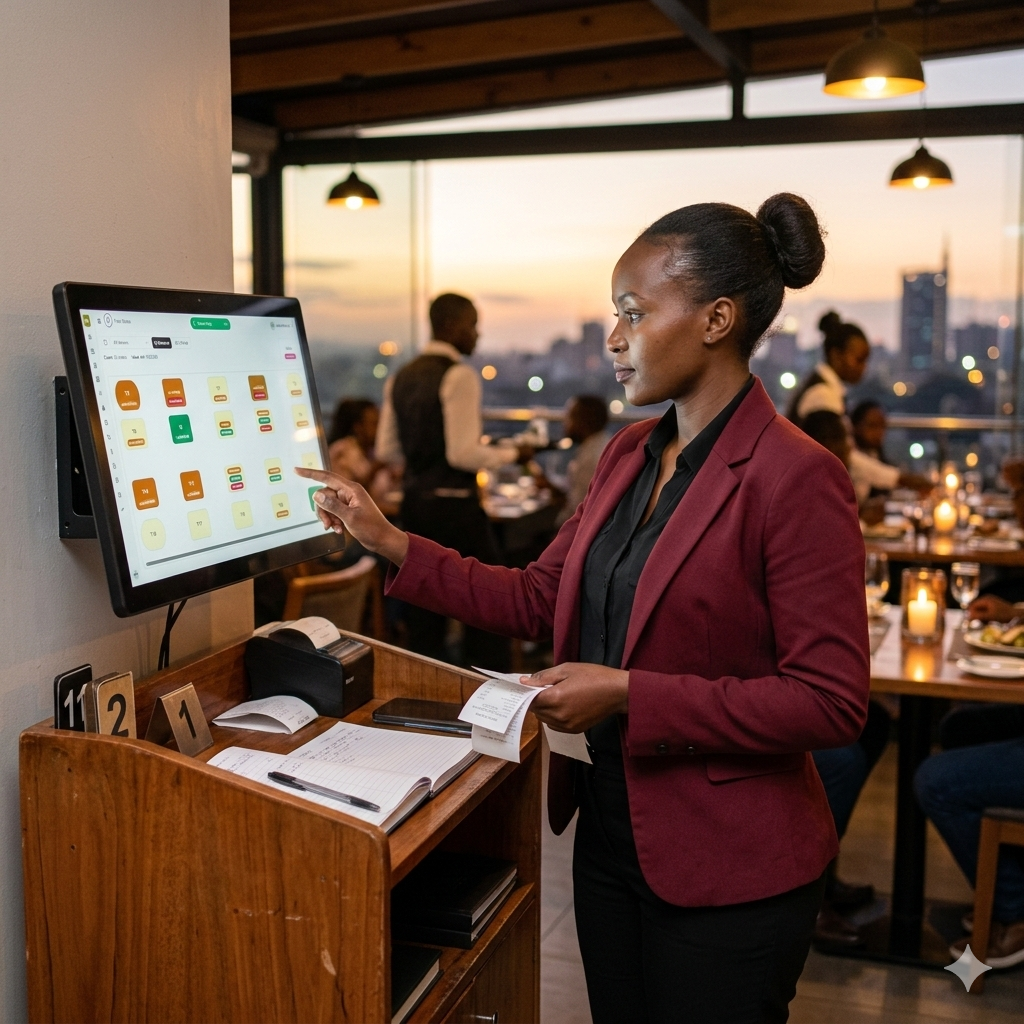
Bizflow POS running on a Windows counter terminal
Download questions

Before you install

Yes. The offline POS is free to download and use forever — no trial period, no locked features, no card required. You only pay when you move to Bizflow Cloud for online access, starting from Ksh 1,000/month on Starter.
The installer is packaged as a compressed .rar archive to keep the download small. Open it with WinRAR or 7-Zip (both free), then run the setup file inside to install Bizflow.
No. Bizflow is offline-first — installing and running it needs no internet at all. A connection is only used for the optional Bizflow PRO online sync, and even then a dropout never stops you selling.
Absolutely. Message us on WhatsApp and we'll help you install, import your menu, connect your printer and train your staff — same-day in Nairobi and across Kenya.

Get Bizflow on your counter today.

Download for Windows, set it up in minutes, and start running your business on a system that never stops when the internet does.

Download POS for WindowsTalk to experts
Bizflow blog

Practical guides for Kenyan hospitality

Offline POS, M-PESA, shifts, stock and waiter management — written for restaurant, bar, café, hotel and liquor retail operators.

Why your restaurant needs an offline POS in Kenya
POS Guides

Why your restaurant needs an offline POS in Kenya

Power cuts, slow internet, and busy rush hours make cloud-only POS risky. Learn why an offline POS in Kenya ke…

Read article
How M-PESA integration works with a POS system in Kenya
Payments

How M-PESA integration works with a POS system in Kenya

STK Push, Till, and Paybill explained in plain language. See how M-PESA POS integration in Kenya speeds up che…

Read article
Best POS system for small restaurants and bars in Nairobi
Buying Guides

Best POS system for small restaurants and bars in Nairobi

A practical guide to choosing the best POS in Nairobi for small restaurants and bars — offline reliability, M-…

Read article
How to track stock in a wines and spirits shop in Kenya
Inventory

How to track stock in a wines and spirits shop in Kenya

Bottle counts, breakage, supplier deliveries, and daily variance — a practical guide to stock tracking for liq…

Read article
How to manage waiters and track shift sales
Operations

How to manage waiters and track shift sales

Waiter clearances, per-waiter sales reports, and shift closing explained for Kenyan restaurants. Reduce disput…

Read article
Free vs paid POS — what Kenyan restaurant owners need to know
Pricing

Free vs paid POS — what Kenyan restaurant owners need to know

Hidden costs, offline limits, and upgrade traps in free POS Kenya options. Compare what you actually get befor…

Read article
How to read your restaurant's daily sales report
Reports

How to read your restaurant's daily sales report

Gross sales, net sales, payment mix, voids, and shift totals — learn how to read a restaurant sales report in…

Read article
How to choose a POS system for your restaurant in Kenya
Buying Guides

How to choose a POS system for your restaurant in Kenya

Offline capability, M-PESA, pricing, support, and staff training — the complete buying guide for choosing the…

Read article
Open bills, table service and kitchen dockets in Kenya
Operations

Open bills, table service and kitchen dockets in Kenya

How to run dining orders with open bills, table assignment and kitchen dockets that show server and table — th…

Read article
How to read product sales and profit estimates per shift
Reports

How to read product sales and profit estimates per shift

Cost, units sold, revenue and profit estimate per product line — learn how Bizflow product sales reports help…

Read article
Shift inventory reports — opening stock, sales and expected closing
Inventory

Shift inventory reports — opening stock, sales and expected closing

Reconcile physical counts with POS sales each shift. How Bizflow shift inventory reports show opening quantity…

Read article
Inventory movement audit, stock alerts and local purchase orders
Inventory

Inventory movement audit, stock alerts and local purchase orders

Track who sold each unit, who changed stock counts, set reorder alerts and export LPO PDFs to suppliers — inve…

Read article
Custom shift timelines — close morning and evening separately
Operations

Custom shift timelines — close morning and evening separately

Close Saturday lunch and open Saturday dinner as separate shifts. How Bizflow timelines give Kenyan operators…

Read article
Bizflow PRO remote monitoring — watch sales from your phone
Bizflow PRO

Bizflow PRO remote monitoring — watch sales from your phone

Live timeline totals, historical shifts and emailed reports from your phone — how Bizflow PRO remote monitorin…

Read article
Laundry POS Kenya — bookings, tags, M-PESA and combined invoices
Laundry

Laundry POS Kenya — bookings, tags, M-PESA and combined invoices

How Kenyan laundry shops use Bizflow for standard and express bookings, branded item tags, wash-to-pickup trac…

Read article
Pricing

Simple plans for every outlet size.

Pick a plan for your outlet, team, and monthly sales volume. Start small, then upgrade as the business grows.

Choose the package that matches your outlet size. Medium and Business unlock stations and departments, while Business adds prioritized 24/7 support.

StarterSmall outlets
Ksh 1,000 /month
Monthly plan · clear outlet capacity

For dukas, kiosks and small counters getting online.

4,650 orders included / month
155 orders included / day
6 users included

  • Includes
  • Offline-first POS with cloud sync
  • 4,650 orders / month
  • 155 orders / day
  • Up to 6 users
  • M-Pesa Express & payment links
  • Invoices, stock & shifts
  • Upgrade to unlock stations and departments
Start on Bizflow
MediumMost popular
Ksh 2,000 /month
Monthly plan · clear outlet capacity

For growing outlets that sell more every day.

9,300 orders included / month
310 orders included / day
10 users included

  • Includes
  • Everything in Starter
  • 9,300 orders / month
  • 310 orders / day
  • Up to 10 users
  • Stations and departments
  • M-Pesa Express & payment links
  • Invoices, stock & multi-device sync
Start on Bizflow
BusinessHigh volume
Ksh 4,000 /month
Monthly plan · clear outlet capacity

For busy floors and higher daily volume.

18,600 orders included / month
620 orders included / day
20 users included

  • Includes
  • Everything in Medium
  • 18,600 orders / month
  • 620 orders / day
  • Up to 20 users
  • Stations and departments
  • Prioritized 24/7 support
  • M-Pesa Express & payment links
  • Built for busy multi-staff outlets
Start on Bizflow

No free plan · Pay via M-Pesa in the app · Upgrade or downgrade anytime · bizflow.ke

IZFLOW

The offline-first POS for Kenyan hospitality. Built for restaurants, bars, wines & spirits, hotels and cafés that can't afford to stop when the internet does.

Solutions

  • Restaurants
  • Bars
  • Cafés
  • Wines & Spirits
  • Hotels
  • Offline POS

Product

  • Pricing
  • Download
  • Printer Bridge
  • Bizflow PRO
  • Features

Talk to us

  • Open Bizflow Online
  • WhatsApp our team
  • info@bizflow.ke
  • Download the Windows app
  • Download Printer Bridge
© 2026 Bizflow Technologies · bizflow.keOffline-first POS · Made for Kenya 🇰🇪